
Solutions · Optimization

Lower costs, less manual work

Detect improvement opportunities, reduce losses, and free up time for your operations team.

Site and period comparisons

Compare Planta Norte and Planta Sur over the same seven days. Both temperature series appear on one chart, with a summary for each plant to connect each curve with its values for that period.
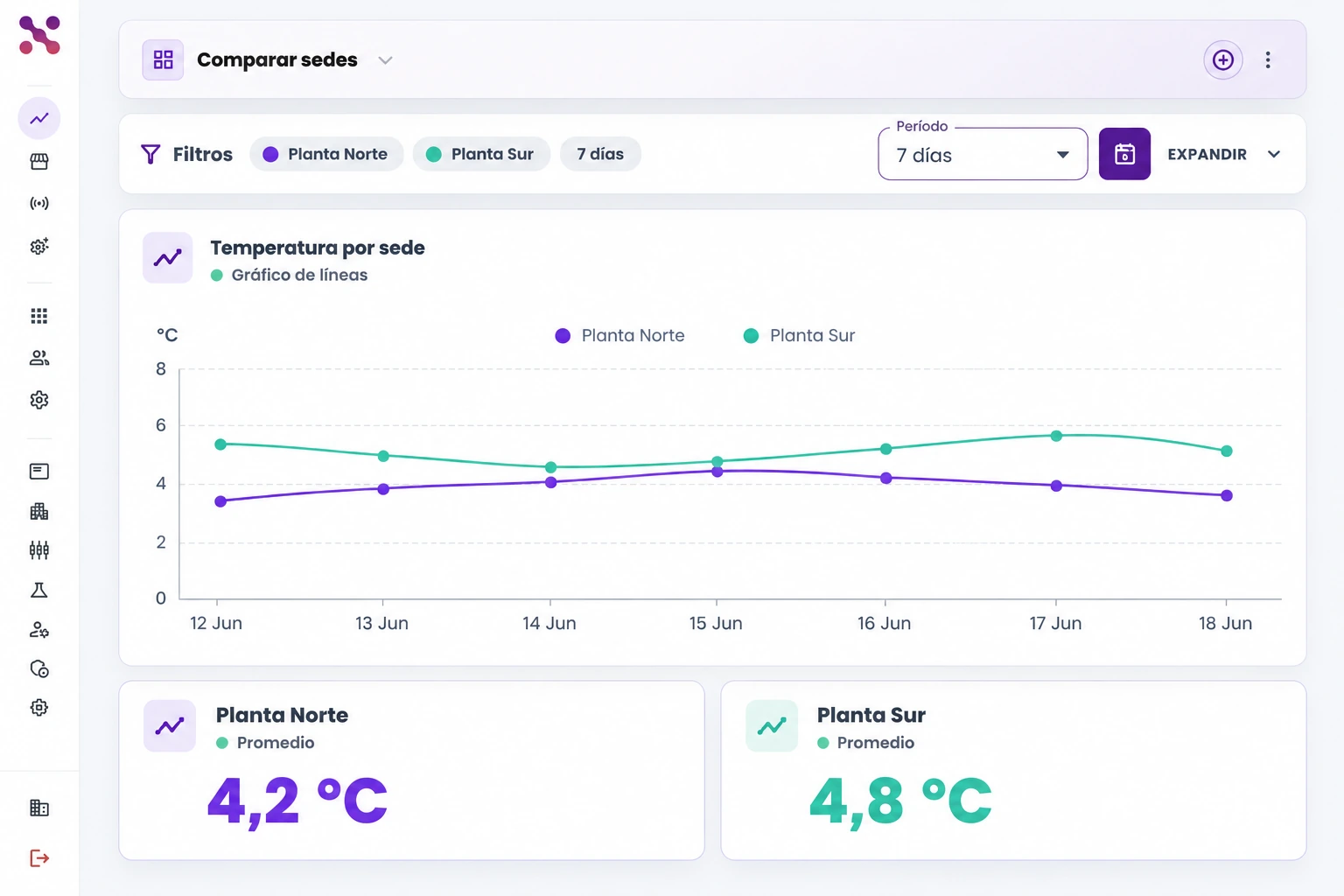
  • The same 7-day period for both plants
  • Purple and teal series on one chart
  • Indicator summary for each plant
Seven-day comparison of Planta Norte and Planta Sur with purple and teal temperature series on one chart and a summary for each plant.
Planta Norte and Planta Sur compared over the same seven days.
Seven-day comparison of Planta Norte and Planta Sur with purple and teal temperature series on one chart and a summary for each plant.

Scroll the image to explore its details

Prioritize deviations

Review an alert queue ranked by critical, high, and medium severity. Each row identifies the event, facility, and owner, alongside New or Under review statuses to track how each alert is being handled.
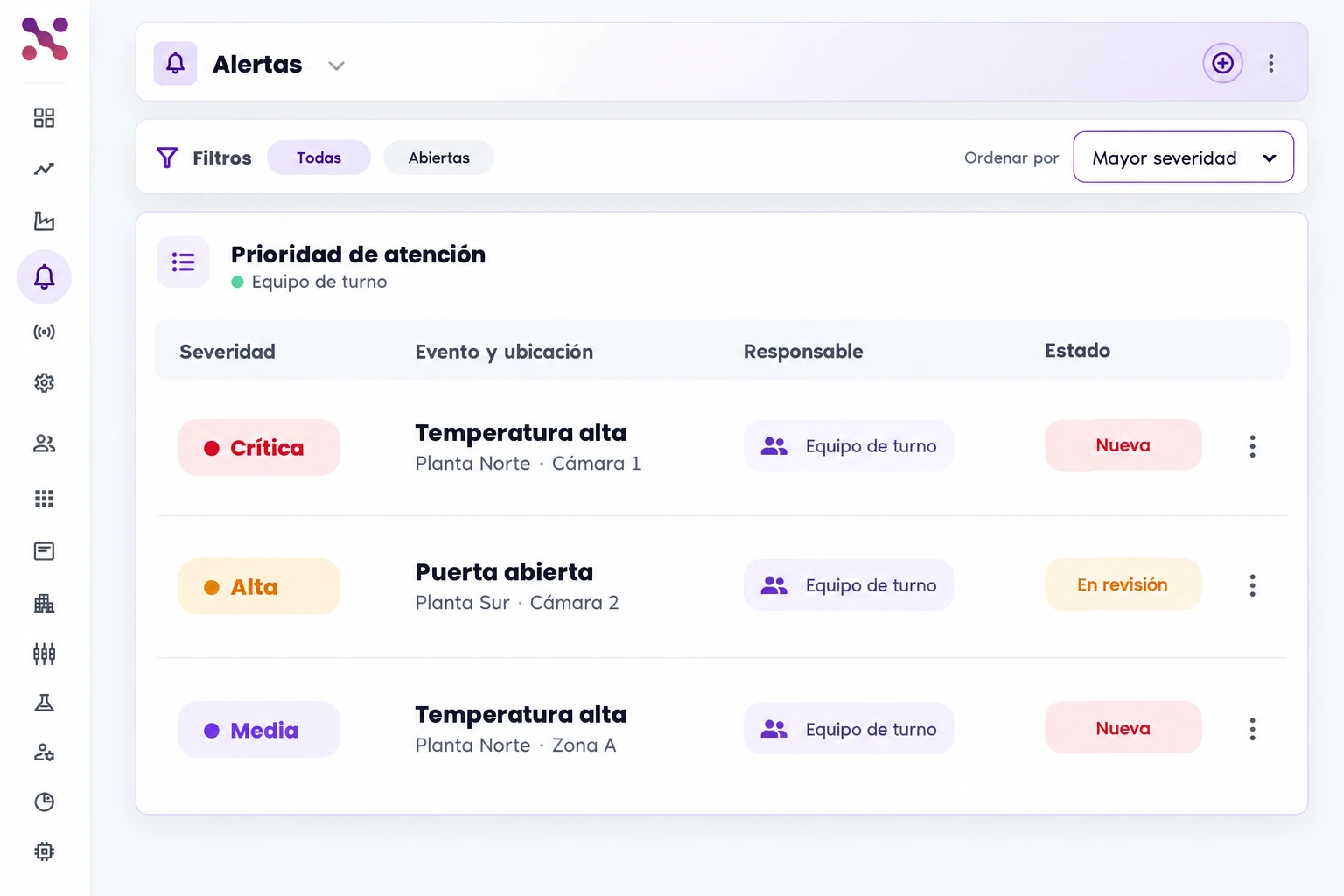
  • High-temperature and open-door alerts
  • Facility and owner in each row
  • Priority and status to organize the review
Queue of high-temperature and open-door alerts ranked by critical, high, and medium severity; each row shows facility, owner, and New or Under review status.
Alerts ranked by severity, with facility, owner, and status.
Queue of high-temperature and open-door alerts ranked by critical, high, and medium severity; each row shows facility, owner, and New or Under review status.

Scroll the image to explore its details

Connect your critical assets with Xpit Connect.

Deploy IoT monitoring, smart alerts, and operational automation through a clear rollout and adoption path.

Hablemos