
Solutions · Automation

Automatic alerts and responses

Set rules to alert, escalate, and trigger actions automatically when a variable goes out of range.

Tailored automations

Set a rule to send an alert when temperature exceeds 8 °C for five minutes. The editor connects the condition, duration, and action, alongside an activation toggle and a log of rule executions.
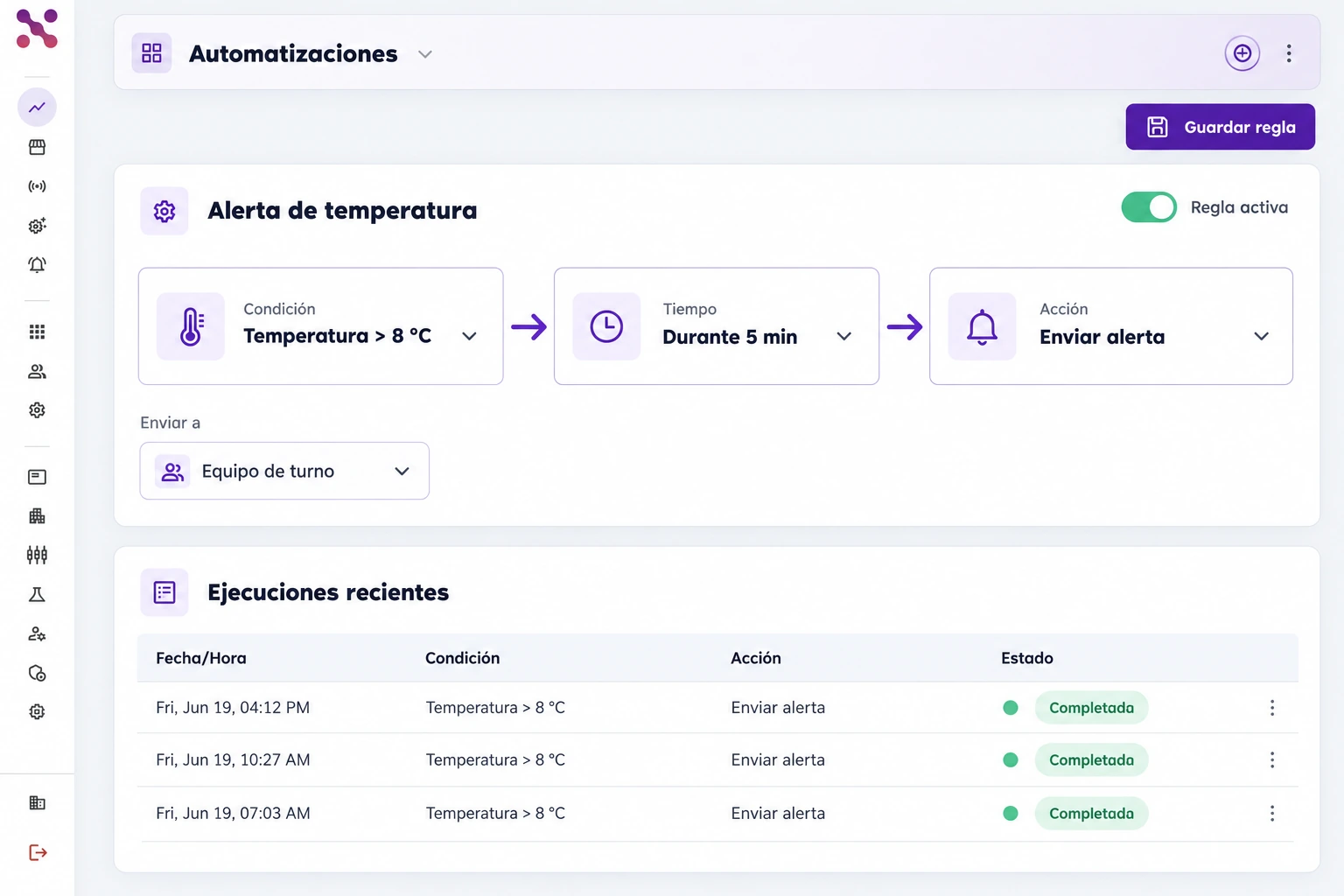
  • Condition: temperature above 8 °C
  • Wait 5 minutes before sending the alert
  • Active rule with a visible execution log
Active rule editor connecting temperature above 8 °C, a 5-minute duration, and Send alert, with an activation toggle and an execution log.
One rule connects temperature, duration, and alert delivery.
Active rule editor connecting temperature above 8 °C, a 5-minute duration, and Send alert, with an activation toggle and an execution log.

Scroll the image to explore its details

Multi-channel notifications

The inbox brings together temperature and open-door alerts assigned to the shift team. Each row shows the event, WhatsApp and Email channels, and delivery status so you can review how the notification was sent.
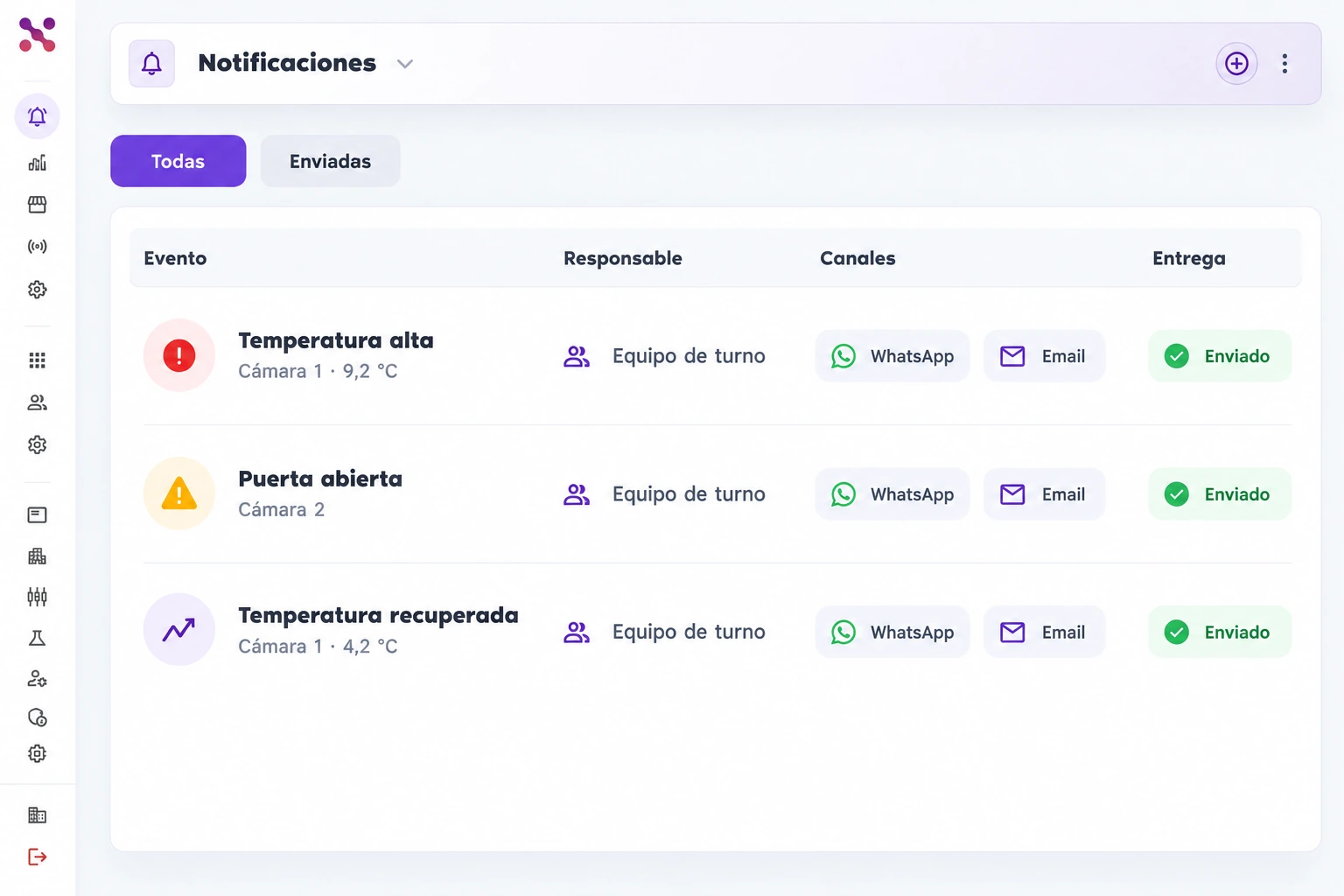
  • Temperature and open-door events
  • Shift team shown as the owner
  • Delivery channels and sent status
Inbox with three temperature and open-door alerts assigned to the shift team, WhatsApp and Email channels, and sent delivery status.
Shift team alerts with delivery channels and status.
Inbox with three temperature and open-door alerts assigned to the shift team, WhatsApp and Email channels, and sent delivery status.

Scroll the image to explore its details

Connect your critical assets with Xpit Connect.

Deploy IoT monitoring, smart alerts, and operational automation through a clear rollout and adoption path.

Hablemos