Solutions · Centralization

Your entire operation on one platform

We unify locations, equipment, users, and data into simple, traceable, and actionable dashboards.

Customizable dashboards

Arrange a temperature indicator, a trend chart, a table, and a map on your dashboard. The view shows the selected widget, its drag handles, and the side panel for adding new widgets.
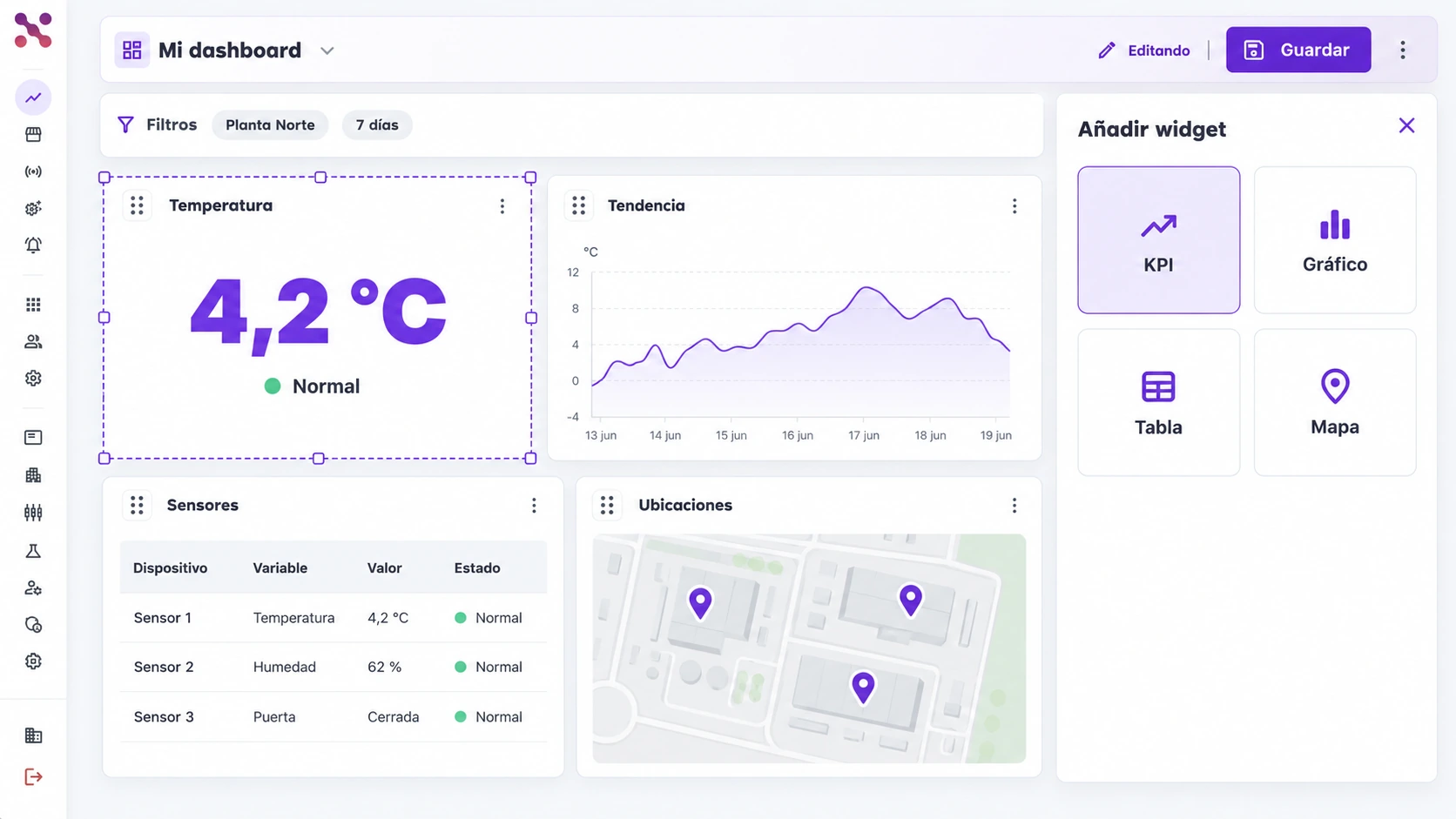
  • Temperature, chart, table, and map widgets
  • Drag handles and selection to adjust the layout
  • Filters for Planta Norte and the last 7 days
Dashboard filtered to Planta Norte and 7 days, with temperature, trend, table, and map widgets; one selected widget has a dashed border and the Add widget panel is open.
Four configurable widgets and a side panel for adding content.
Dashboard filtered to Planta Norte and 7 days, with temperature, trend, table, and map widgets; one selected widget has a dashed border and the Add widget panel is open.

Scroll the image to explore its details

Operational integrations

Review API, ERP, and BI connections in one panel. Each card shows its connection and synchronization status; the table below lists received data so you can inspect what is entering the system.
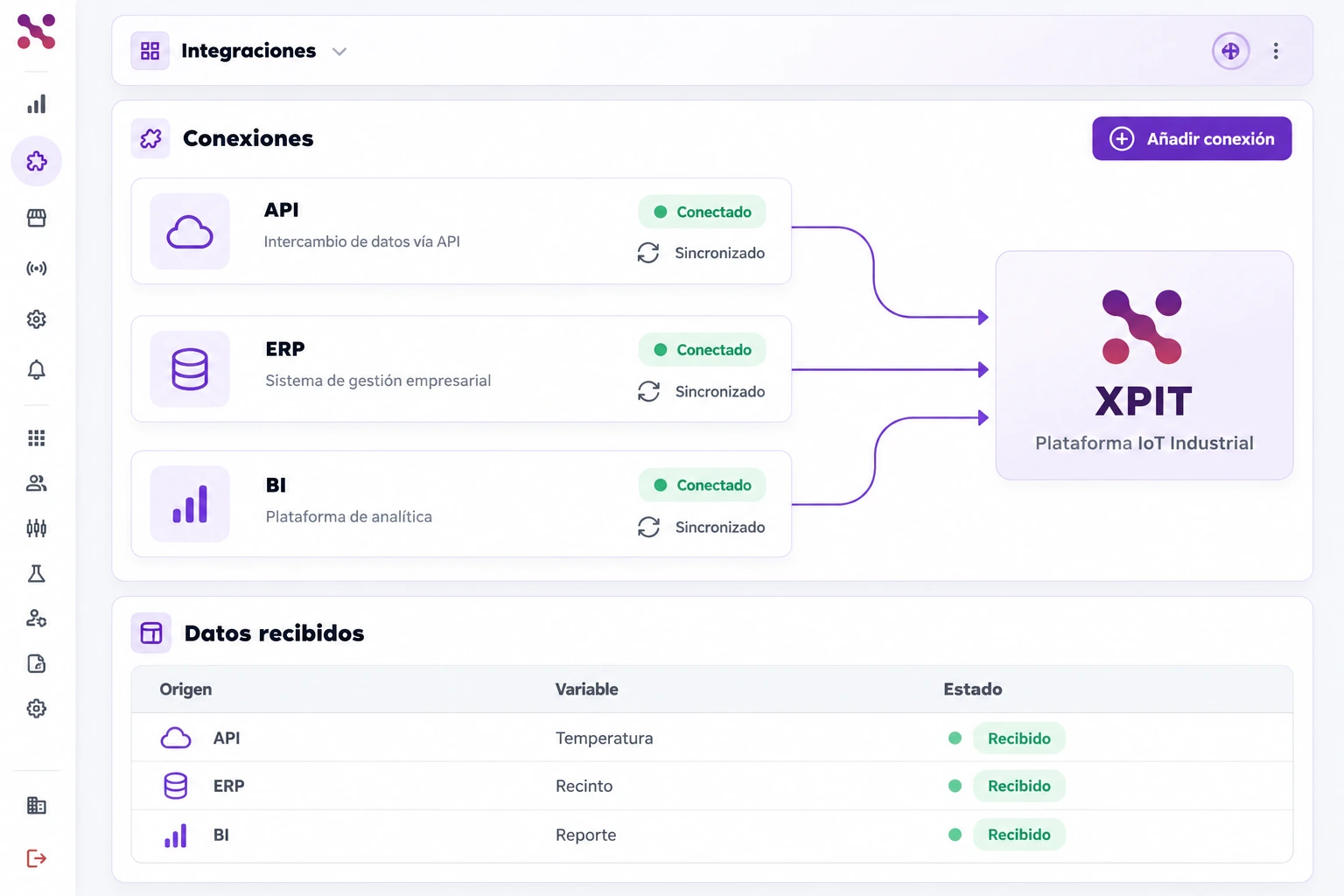
  • API, ERP, and BI connections marked as connected
  • Synchronization status for each connection
  • Received data table below the connections
Integrations panel with API, ERP, and BI connections marked as connected in green, synchronization status, and a received data table.
API, ERP, and BI connections with status and received data.
Integrations panel with API, ERP, and BI connections marked as connected in green, synchronization status, and a received data table.

Scroll the image to explore its details

Devices by facility and zone

Browse Planta Norte, its cold rooms, and zones in the side tree. With Zona A selected, the table shows three sensors with their location, temperature, and status for reviewing that part of the facility.
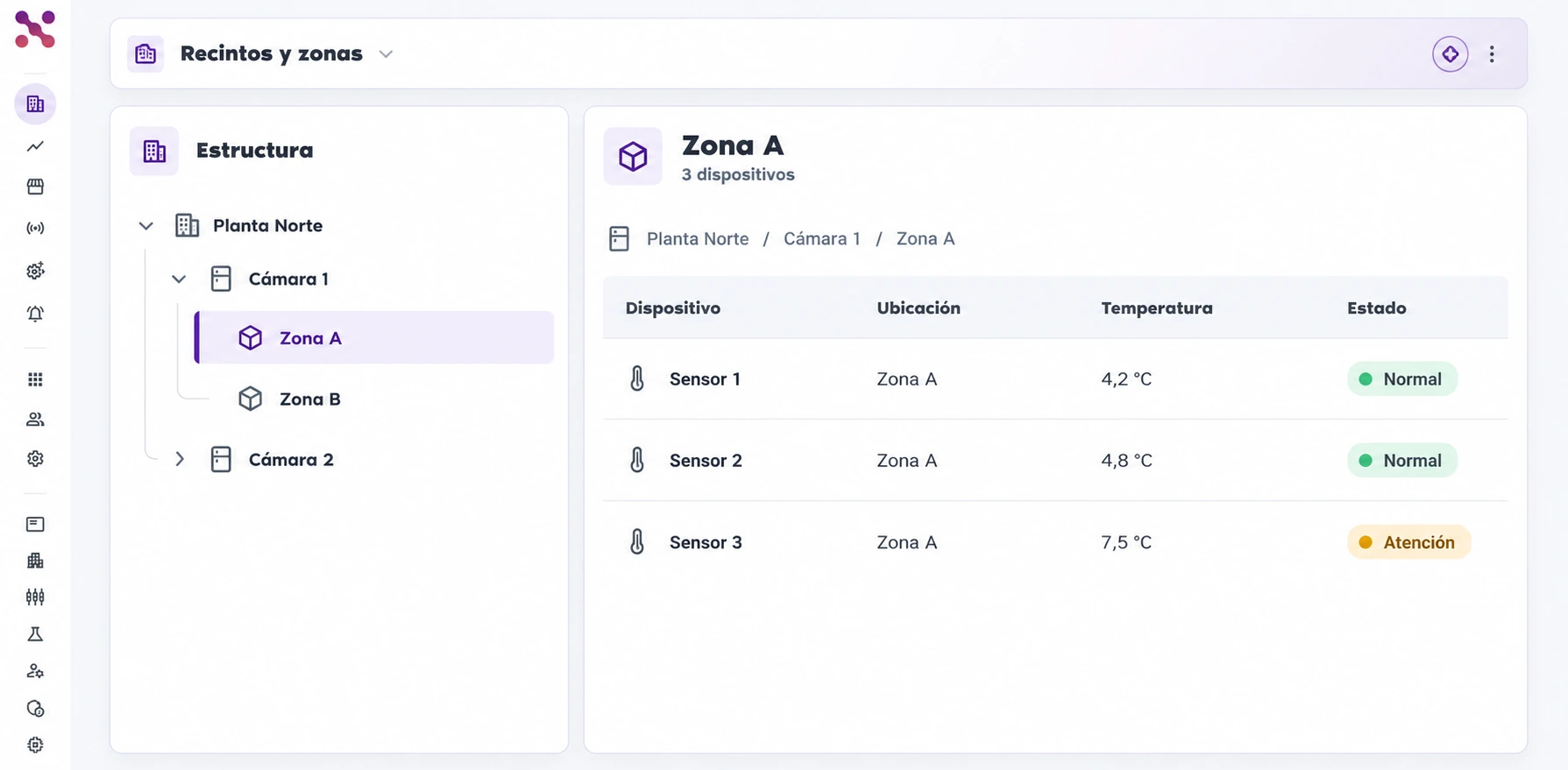
  • Tree of facilities, cold rooms, and zones
  • Zona A selected in the navigation
  • Sensor location, temperature, and status
Facilities and zones panel showing Planta Norte, Cámara 1, and Cámara 2 in a tree; Zona A is selected beside a table of three sensors with location, temperature, and status.
Zona A selected in the tree, with its three sensors in view.
Facilities and zones panel showing Planta Norte, Cámara 1, and Cámara 2 in a tree; Zona A is selected beside a table of three sensors with location, temperature, and status.

Scroll the image to explore its details

Connect your critical assets with Xpit Connect.

Deploy IoT monitoring, smart alerts, and operational automation through a clear rollout and adoption path.

Hablemos